X Downloader & Video Player
- 4.5
- Rating
- 5.00M
- Installs
- Free
- Price

 Analysis by App-foxy
I came away from X Downloader & Video Player with a fairly clear impression: it is most useful when I want a straightforward way to save online videos or images and then keep them available for later viewing. It sits in the video players and editors category, but I would think of it primarily as a downloading and playback tool rather than an editing suite. That distinction matters, because people looking for trimming, filters, captions, or a full creative workspace may be happier with a dedicated editor.
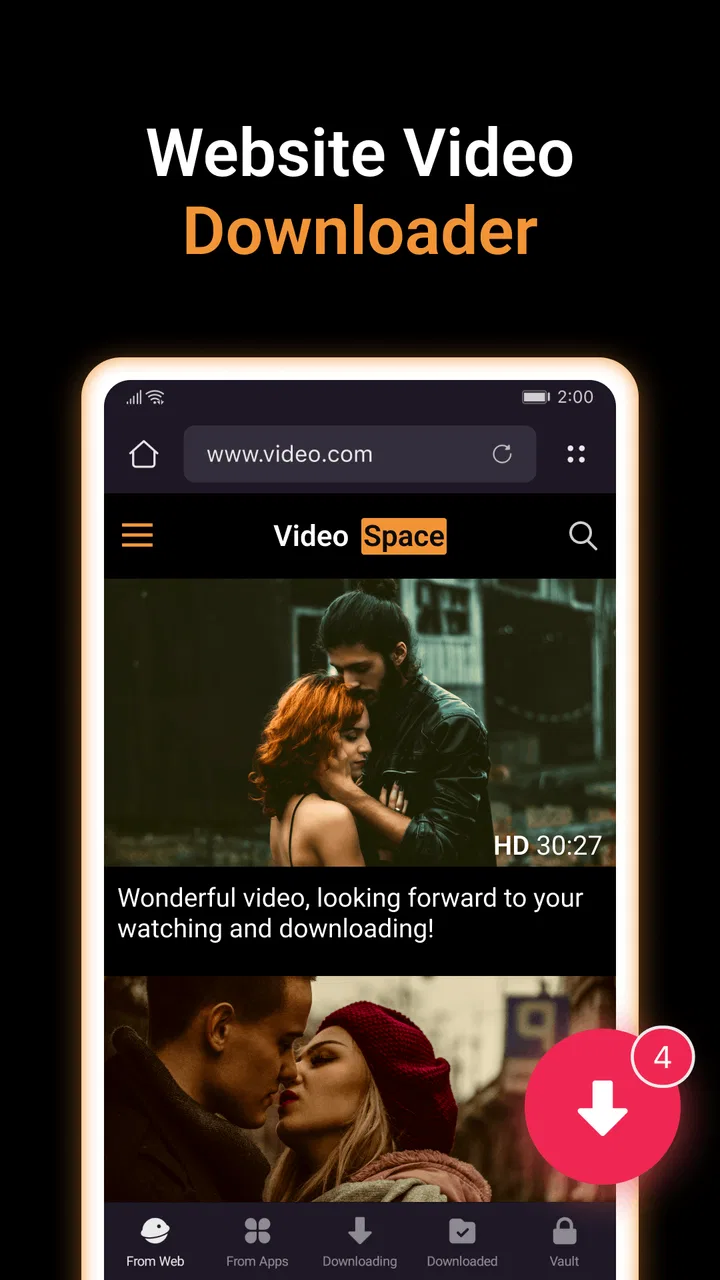
For the right user, though, its appeal is easy to understand. The app is free to install, it is made by DC Mobile Studio, and its central idea is simple enough to fit into an everyday routine: find media on a website or social app, save it, and watch it through one place. I like that focused approach. Instead of turning the experience into a complicated production workflow, it concentrates on moving media from online viewing into personal offline access.
What using X Downloader feels like in practice
The first thing I would tell a friend is to treat this as a convenience app, not a magic solution for every online video problem. Its strongest use is reducing the repeated effort of opening a browser or social platform whenever I want to revisit something. A saved clip can be useful during travel, in areas with unreliable connectivity, or simply when I want to organize a few pieces of media for later.
You May Also Like

 Blood Strike: 2.5 Anniversary
Blood Strike’s Loadouts Turn Every Drop Into a Tactical Gamble
A close look at Blood Strike’s custom loadouts: how fast access to signature weapons reshapes its battle royale rhythm, rewards preparation, and narrows the gap between fights.

 Pandora - Music & Podcasts
Pandora’s Music Is Easy to Start, but Harder to Recover
Pandora’s strength is its low-effort path from a seed to a station. Its weak spot is how much confidence it asks you to place in connection, setup, and quiet recovery.

 8 Ball Pool
 Is Built on Rivalries, Rematches, and Routine
A close look at the rivalries, rematches, shared routines, and unanswered safety questions that turn a quick pool match into a persistent mobile community.

 Samsung Music
’s Quiet Strength Is Playing What You Already Own
Its reach comes less from spectacle than from dependable access to a personal library. That simplicity is both the app’s strongest retention engine and its ceiling.

 AccuWeather: Weather Radar
AccuWeather Review: A Quick, Clear Forecast for Everyday Decisions
For everyday plans, the best forecast is the one you can understand quickly. AccuWeather makes rain timing, radar, and local conditions easy to act on, with a few trade-offs.

 Hill Climb Racing
Why Hill Climb Racing Still Turns Crashes Into One More Run
A tiny car, a bumpy hill and one more upgrade: Hill Climb Racing keeps resurfacing because its simple chaos makes every near-miss feel personal.
More From Our News Desk



A realistic example is a weekend trip. Before leaving, I could use the app to collect a few videos and images from websites and social apps, then check them later without depending on a strong connection. That workflow is more practical than repeatedly searching through browser history. It also gives the app a role beyond casual downloading: it can become a temporary media shelf for a particular trip, project, event, or collection of references.
The wording around fast and unlimited downloading sets a broad expectation, but I would still approach every source individually. Websites and social networks do not all behave alike. Some pages make media easy to identify, while others use embedded players, changing layouts, sign-in requirements, or restrictions that can make saving less predictable. In my experience with apps of this type, the most useful habit is to test the exact source I care about before relying on it for an important offline collection.
The built-in player is another practical part of the experience. Having playback in the same app means I do not need to switch immediately to a separate gallery or video player just to check whether a saved file is worth keeping. That is especially helpful when I am sorting several downloads. I can review them as I go, remove the ones I do not need, and avoid filling my device with files I never intend to watch again.
That said, I would not confuse an integrated player with a complete media-management system. People with large libraries, detailed folders, advanced subtitle needs, or sophisticated playback preferences may find a specialist player more comfortable. X Downloader & Video Player makes more sense when downloading and immediate viewing are the main tasks, rather than when playback customization is the entire reason for installing an app.
The small workflow choices that make it more useful
One of the better ways to use it is to decide on a naming and storage routine before downloading heavily. If I save media from several different sources without any organization, the convenience quickly turns into a crowded folder. I would create a simple habit: keep only the files I genuinely expect to use, review them after a session, and separate temporary downloads from items I want to archive permanently.
This is a non-obvious trade-off with any downloader. The easy part is acquiring media; the less visible cost is managing it afterward. A short clip may seem harmless, but repeated downloads can make it harder to find the one file I actually need. The app is at its best when I use it as a deliberate inbox rather than an endless storage bin.
I also recommend checking a download immediately after it finishes. Playing the file inside the app is not only convenient; it is a quality-control step. If the result is incomplete, has an unexpected format, or is not the media I intended to save, I can catch that before building a larger collection around it. This simple check saves time and prevents the common mistake of discovering a problem only when the original page is no longer easy to locate.
For image-heavy use, I would be equally selective. Saving every attractive image from a browsing session sounds efficient, but it can produce duplicates and make later searching frustrating. A better workflow is to download only images connected to a clear purpose, such as visual references for a personal project or a short-term collection for offline viewing. That approach highlights the app’s flexibility without pretending that flexibility automatically creates organization.
Another useful distinction is between temporary and permanent access. If I only need a video for a flight or a short research session, I can treat it as disposable and clean it out afterward. If I want to keep something longer, I should move it into the device’s normal organization system when appropriate. This keeps the app’s download area from becoming the only place where important media lives.
Where it compares well with familiar alternatives
The usual alternative is simply using a browser, a social app’s own save function, or the phone’s standard gallery. Those options can be perfectly adequate when I only need bookmarks or when the platform already offers reliable offline viewing. X Downloader & Video Player becomes more attractive when I want downloaded media and playback closer together, especially across more than one kind of source.
A browser is better for discovering content, reading pages, and maintaining bookmarks. It is not always the most convenient place to manage a group of downloaded files. A platform’s built-in save feature may be safer or more integrated, but it can depend on that platform remaining available and may not create a normal offline file. The app’s appeal is the middle ground: it gives me a more direct media-saving workflow without requiring a full desktop-style file-management setup.
Compared with a dedicated video player, its advantage is the acquisition step. A specialist player may offer a richer viewing experience, but it usually does not solve the problem of getting media from a website or social app into local storage. Compared with a dedicated downloader, this app’s built-in playback is the more convenient side of the combination. I would choose it when I value a single practical workflow over deep specialization in either area.
The comparison changes if editing is my priority. The category label includes video players and editors, but I would not install this expecting a complete editing timeline. If my goal is to cut clips, add transitions, correct color, mix audio, or produce content for publication, a purpose-built editor is the better choice. X Downloader & Video Player is more suitable before the editing stage: collecting and checking source media.
The main limitation is not the idea, but the online environment
The most meaningful weakness is that the experience depends heavily on the websites and social apps being accessed. A downloader can be simple to operate and still face friction when a page changes, when a video is protected, or when the source requires an account. I would not regard every failed attempt as an app defect, but I would regard source compatibility as the biggest practical uncertainty for a user.
This is why I would avoid making it the only tool in a time-sensitive workflow. If I am preparing media for a presentation, a trip, or a scheduled post, I would test the source early and keep an alternative method available. The app can be convenient, but convenience is not the same as guaranteed access to every item on the internet.
There is also a responsibility attached to downloading. The ability to save a video or image does not automatically grant permission to redistribute it, edit it, or use it commercially. I would use the app for media I am allowed to save and keep copyright, privacy, and platform rules in mind. That is especially important when the content came from social apps, where personal material and copyrighted work can appear side by side.
The mature age classification is worth taking seriously as well. The app is marked for users aged seventeen and older, so it is not something I would casually recommend for younger users. That rating should encourage families to think about the kinds of websites and social content being accessed, not just the downloading function itself.
Cost is another point to consider. The app is free, but optional in-app purchases range from about one dollar to thirty dollars per item. I would install it first and decide whether the free experience meets my needs before paying for anything. For occasional downloading, a paid upgrade may not be worthwhile. For someone who uses the workflow regularly, the decision depends on which restrictions or conveniences the purchase changes, so I would read the purchase details carefully rather than assuming every user needs them.
Performance expectations and device fit
The current version is 2.3.16, and it supports devices running Android 7.0 or later. That makes it relevant to a broad range of Android phones, including some older models, although compatibility on paper does not guarantee the same comfort on every device. Downloading and playing media can be demanding when storage is tight or when the phone is already handling several background tasks.
I would check available storage before starting a large batch and avoid treating the app as a replacement for a backup service. Local files are vulnerable to the usual phone problems: accidental deletion, device damage, or a reset. If a saved video matters, I would keep another copy in a place I trust. This is basic file hygiene, but downloader apps make it easy to forget because the media feels safely collected once it appears in the app.
The app’s audience size suggests that the concept has broad appeal: it has an average rating of 4.5 from around sixty-seven thousand ratings and more than five million installs. Those figures make it easier to see why someone might try it, but they do not remove the need to judge it against a particular source and personal workflow. A popular downloader can still be the wrong fit if I mainly need editing, cloud synchronization, or a specialized playback experience.
Who should install it, and who should skip it
I think it is a good match for people who regularly move between websites and social apps and want a more direct way to keep selected videos or images for later. It also suits users who prefer checking a file immediately rather than jumping between a downloader, a file manager, and a separate player. Students collecting legitimate reference material, travelers preparing offline media, and casual viewers building a short-term collection are the kinds of people I can imagine benefiting most.
It is less suitable for someone who only needs a bookmark, because saving a local copy adds storage and organization work. It is also not my first recommendation for a creator who needs serious editing tools, a professional media library, or a dependable publishing pipeline. In those cases, I would choose a dedicated editor or a more advanced media manager and use this app only if its downloading workflow solved a specific gap.
I would also skip it if my main expectation is that every social platform will behave identically. That expectation is likely to lead to disappointment. The better mindset is to see it as a convenient utility whose usefulness depends on the sources I actually use. Testing those sources, reviewing downloads promptly, and keeping the library tidy are part of getting good results.
My final view after weighing the convenience
My verdict is positive, with a clear boundary around what the app is meant to do. X Downloader & Video Player is a practical free utility for collecting online videos and images and checking them in one place. Its value comes from the complete small workflow: find media, save it, play it, and decide whether it deserves to stay. That is more useful than a short store summary suggests, especially for offline viewing and temporary collections.
At the same time, I would not call it a universal media solution. Source restrictions, storage management, age suitability, and the presence of optional purchases all deserve attention. The app is strongest when I use it selectively and legally, with realistic expectations about website compatibility. If I needed an editor, a professional player, or a long-term archive, I would look elsewhere.
For a friend who wants a simple Android tool for downloading and viewing selected media, I would recommend giving it a try. I would begin with a small test, play each important download, organize files immediately, and avoid paying until the free experience proves useful. Used that way, the best reason to choose this app is its focused, end-to-end convenience, not the promise that it can replace every other media tool on the phone.
FAQs for X Downloader & Video Player
01What is X Downloader & Video Player used for?
X Downloader & Video Player is designed to help users browse, download, and play supported online video content from within one application. It combines a built-in browser or downloader with a media player, making it convenient to manage saved videos without switching between several apps. Its exact capabilities may depend on the website, file format, device, and current app version.
02Is X Downloader & Video Player free to download and use?
The application may be available to download without an upfront charge, but users should check the current store listing for advertising, optional purchases, subscriptions, or feature limitations. Some tools can be restricted in the free version, while premium options may remove advertisements or unlock additional functions. Always review the pricing details before confirming any in-app purchase.
03Can X Downloader & Video Player download videos from every website?
No downloader can reliably support every website or online service. X Downloader & Video Player may work with certain pages and media formats, but protected, private, subscription-based, or copyright-restricted content may not be available for download. Website changes can also affect compatibility. Only download content you are authorized to save, and follow the terms of the relevant platform.
04Where are downloaded videos stored, and can they be played offline?
Downloaded files are generally saved in the app’s selected storage location or in a folder accessible through the device’s file manager, although the exact location can vary between Android and iOS. Once a compatible file has been fully downloaded, it can usually be played without an internet connection. Make sure the app has the required storage permissions and enough free space.
05Is X Downloader & Video Player safe and compatible with my device?
Before installing, download X Downloader & Video Player only from an official app store or a trusted source, and check the developer information, permissions, privacy policy, ratings, and recent user feedback. The app may request access to storage, media, or network features to perform its main functions. Compatibility depends on your operating system version, device hardware, and available storage.
Pros
- Downloads videos for offline viewing with a straightforward workflow.
- Built-in player supports convenient playback without leaving the app.
- Useful for organizing saved videos in one accessible library.
- Simple interface makes core features easy to find.
- Can reduce mobile data usage when videos are saved over Wi-Fi.
Cons
- Downloaded content may use significant storage space quickly.
- Compatibility can vary between websites
- formats
- and video qualities.
- Some downloads may be restricted by platform rules or copyright limits.
- Background downloads may drain battery during lengthy transfers.
- Advertising or premium prompts may interrupt the overall experience.

X Downloader & Video Player
Gallery